
 If you found a way to cut your design time in half, wouldn’t you use it? Photoshop actions allow designers to save time and stay efficient by “recording” common tasks so that they can be automatically performed on different projects. But that’s not the best feature of actions for Photoshop; they’re also easy to share and download.
This community aspect has turned Photoshop actions into the ultimate designer “cheat code.” Downloading another designer’s actions lets you quickly apply new effects and techniques to your designs while also learning how those results were achieved.
We’ve searched high and low for the best free Photoshop actions and have returned with a plentiful bounty. This colossal collection was cultivated with print designers in mind, but there’s something here for everybody who uses Photoshop—from photo retouching and lighting tools to vector art and vintage effects.
Action Categories
Needing help browsing this huge collection of free actions? Use the links below.
- Classic Style Actions
- Modern Style Actions
Basic Color Enhancement Actions
Sometimes all you need is a little change—a little bit of extra contrast here, or a smidgen of color saturation there. These actions allow you to manipulate your image’s color in ways that might be relatively subtle, but can actually help them to look more natural and appealing.
Channels
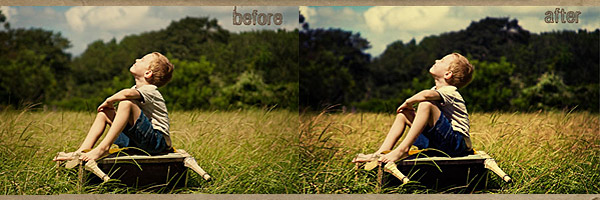
Quickly and easily adjust the contrast of your red, green or blue channels.
Lomo
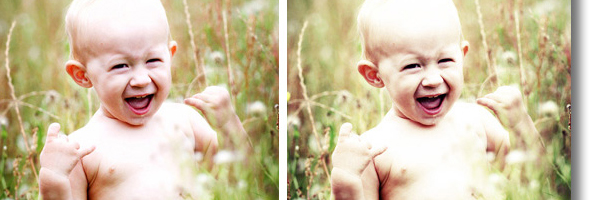
Simulate the look of lomographic photos with high saturation, blurring, and other techniques.
Luminous Color Burst

Add completely adjustable color pop, dodge and burn.
2-Minute Miracle

Use this action to brighten your subject’s eyes and skin.
2-Minute Miracle Plus

This enhanced version of 2-Minute Miracle also lets you freely adjust color/contrast and remove redness from skin.
Action .7
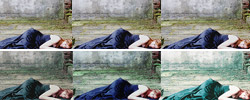
This three-pack of actions features some subtle, yet stunning effects.
Action 03
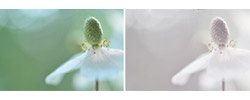
Make your soft pictures look even softer with this light fading action.
Action 60
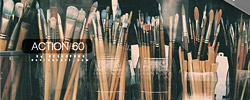
Add contrast and give your image a stylized greenish tint.
Action Pack 4
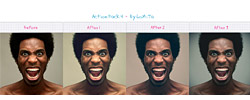
Soften your photos and add light touches of color with this trio of actions.
Berry Luxe
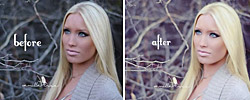
A beautiful color action that looks great on still life photography and portraits.
Boost
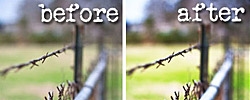
Add unique highlight effects through the use of layer blending.
Boost It

Boost your subject’s contrast ever so slightly.
Color Cast Killer

Locate and remove color casts with this handy action.
Color Pop 2
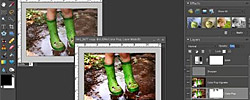
Make the colors in your image vibrantly stand out.
Color Tints
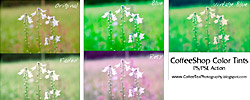
Choose from a variety of tints to stylize your subject.
Dodge/Burn
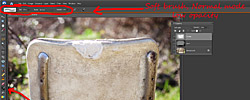
Lighten or darken your image with this action, which simulates the exposure effect of dodge and burn.
Free Glamorous Action

Brighten your photo and add contrast.
Hot Cocoa 2

Add contrast, alter color, and give your image an extra “pop.”
Little Perk
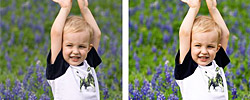
A subtle but effective way to imbue intensity into a dull photo.
Lustrous Pop
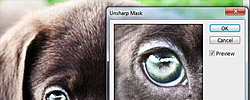
This color pop action creates a refreshing shine effect.
Moody Pop
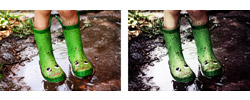
Use high contrast and muted colors to add a dramatic mood.
Orton Action
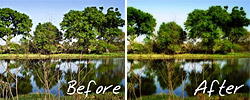
This action uses blur and saturated color designed to artistically express the delicate beauty of nature.
Peachy Glow

Give portraits a subtle, pinkish glow.
Photoshop Action 8
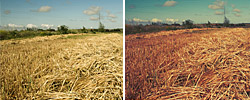
Warm up your photos by manipulating the color with this action.
Photoshop Action no. 7 – High Key

Simulates the look of high key photography with stunning results.
Portrait Action
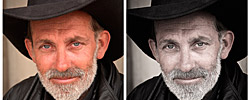
Make your portraits look striking with this action that ever-so-slightly desaturates the color.
Soft Colors Action
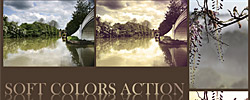
Use these gorgeous color effects to infuse your image with elegance.
Soft Velvet Matte
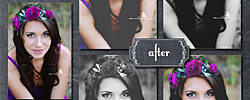
An adjustable soft matte action that allows you to tweak colors to your heart’s desire.
StarStruck

Enhance your portraits or other photos with a pink-tinted glow.
The Photographer Photoshop Action
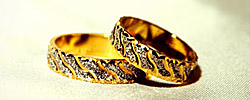
Spruce up that plain image by correcting the brightness and contrast.
Unspoken Action
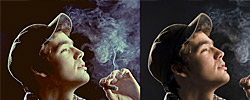
Bring out the details in your picture with higher contrast.
Velvet Cream
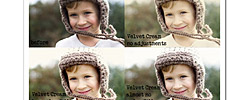
This color adjustment works great for still life images against light backgrounds.
Velvet Peach

A high contrast action that makes portraits and still life look just peachy.
Velvet Truffle

A luscious chocolate-tinted action to accentuate brown tones.
Vivid 2
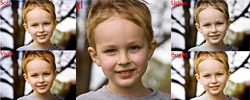
Four different color pop layers, plus a sharpen layer and automatic vignette at your disposal.
Vivid 3

A simplified verison of Vivid 2 with a subtle color boost and vignette effect.
Black and White Photography Actions
There’s just something about black and white photography that gives it more gravitas and drama than color photos. Black and white is practically made for print, since printing in one color of PMS ink helps to save on production costs. But creating stunning monochromatic photos takes a certain degree of finesse—which is what the following Photoshop actions are best at.
Black and White
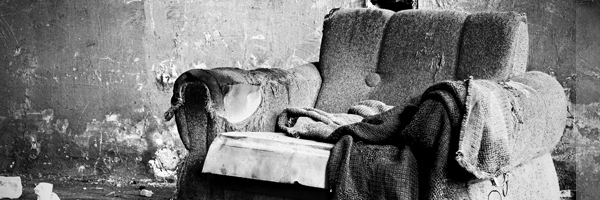
Give your photos an artistic black and white effect based on a technique by Adobe creative director Russell Preston Brown.
Photoshop Actions: B&W Edition

A menagerie of monochromatic actions ranging from simple black and white to colored tints such as sepia.
Split Toning

Turn your color photographs into powerfully vivid black and white images.
Aphrodite B&W
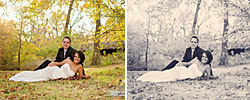
A fully adjustable black and white action to give your image a classical look.
Black and White PS Actions
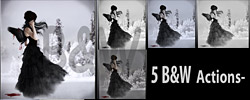
You can never have too many black and white Photoshop actions, and this pack of five is the proof. Each one is dramatically different from the next.
Buttercream B&W

A black and white effect with a very slight brown/tan tint.
Creamy Chocolate B&W
Give your photo a monochromatic tone with just a hint of chocolaty color./td>
Grainy B&W Action Set
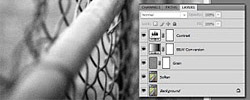
Add a bit of nostalgia with this action, which is reminiscent of grainy black and white photography.
Gray Velvet
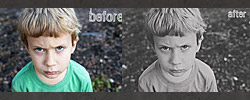
Create a newspaper-like effect with this low contrast B&W action.
JJ’s PSD+ATN 21
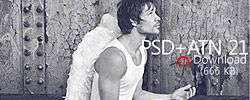
Choose from several different black and white effect options, including high pass and sharpening.
Matte B&W
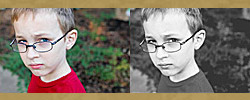
A black and white action that simulates the look of matte photo processing.
Mocha Velvet B&W
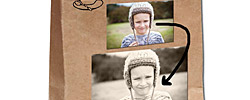
Sit back and take a sip of this simple mocha-tinted B&W action.
No Cream or Sugar B&W
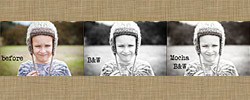
A standard black and white action with an optional subtle brown tint.
NoiseLess Black and White
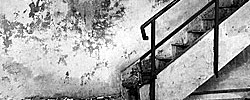
For black and white effects without all the grain, download this action.
Photoshop Actions 6
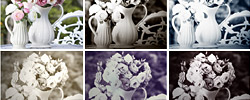
Five different black and white actions in a variety of colored tints.
PS Action BW Noor
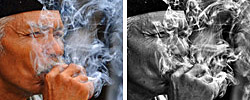
Bring out fine details in your photo with this classic B&W effect.
Splendor B&W
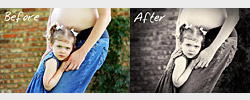
A black and white effect with a hint of purple. Makes your subject’s skin glow.
Toasted Coconut B&W Action
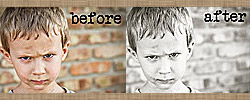
Give your image a black and white look with a mild creamy tint.
Velvet Ash B&W Action

Make your photo monochromatic with this ashen gray action.
Vintage Photography Actions
Nostalgia is a powerful tool in design-there’s just something about the familiar and the old that makes us create an emotional connection to an image. These vintage Photoshop actions make your photos look like they were found in your grandma’s attic and pull at the heartstrings of every person who’s ever wished they could be young again.
Gum Bichromate Print
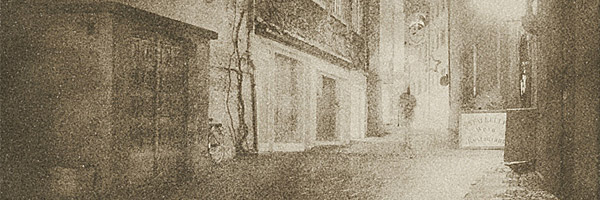
This pair of vintage actions takes your photographs all the way back to the 19th century with effects that mimic early photography.
Simply Vintage
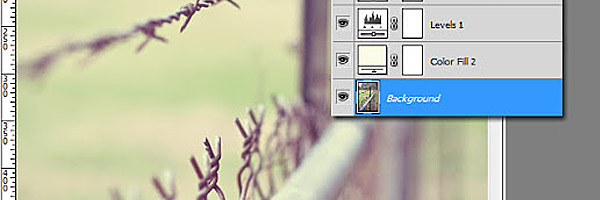
Simulate the natural wear and tear of aged photography.
Vintage Honey
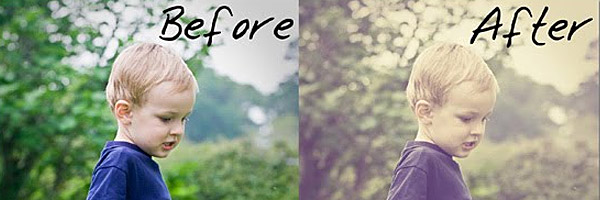
This “honeyed” effect mutes your subject’s color and mixes in a dash of gold.
Action Set 07

Wash out the colors in your photos for a bleached, vintage look using this free action.
Attic Vintage
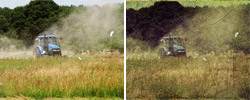
Brown up your photos for a nice aged look.
Autumn Vintage
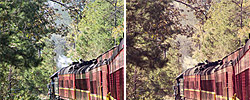
Add a vintage tint that calls the colors of autumn to mind.
Black and White Vintage Action

Not only does this action convert pictures to black and white, it adds lighting effects to simulate old film.
Black White Sepia PS Action

Transform your color photographs into elegant black-and-white or sepia tone images.
Butterscotch Vintage

Overexpose your photos and add a sunny yellow tint.
Coffee Cup Photoshop Actions
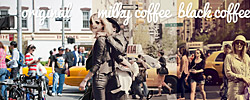
Naturally, this action provides a vintage-style brown tint in two unique shades: “milky coffee” and “black coffee.”
Coffeeshop Vintage Action
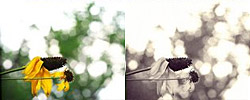
Mute or tone your colors to give it that classic “old school” look.
Faded Daydreams

Fade your photo and add a light ivory tint.
Flaxen Daydreams
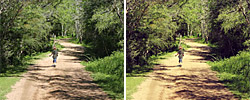
Warm up those blue skies with this dreamy vintage action.
Free Cross Processing Photoshop Action

Digitally replicate the effect you get from cross-processing when developing film.
Free Vintage Light Leak Photoshop Action
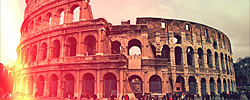
This action replicates the effect of exposed film (minus the drawbacks) for a quirky vintage look.
Golden Vintage
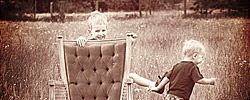
Wash your image out while mixing in a hint of gold.
Hand Colored Vintage Photo Action

Pick from a variety of vintage techniques, including cracking, bending, and old-style paper.
Lovely Action

Don’t you want your photographs to look lovely? Then this retro-style action is for you.
Old Black and White
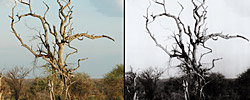
Add black and white and age to the mix for truly vintage photo effects.
Old Photo
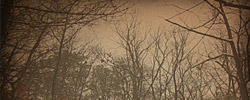
Give your photographs the feeling of antiquity with this photo action.
Old Photo Action
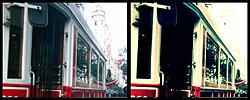
Make your new photos look like they were found in an old shoebox at your grandma’s house using this vintage Photoshop action.
Photoshop Action Set 01
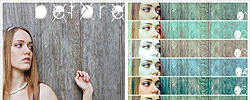
This nine-pack of actions provides a wide spectrum of colorful vintage effects.
Photoshop Actions 7 – Cool Vintage Actions
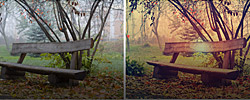
This set of retro actions will have your photos looking vintage in no time.
Photoshop Old Tones Actions
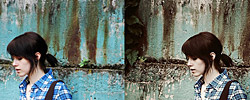
Make your new photos look old with this set of six Photoshop actions.
Regularjane’s Subtle Vintage Action
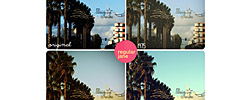
If you want your image to look slightly aged but not outright decrepit, these actions are for you.
Retro Pink Action
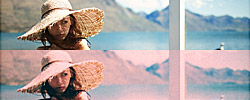
This action’s a pink blast from the past.
Rosy Vintage

An photo with this action applied will look as though it’s been pulled straight out of an old family album.
Sepia Actions
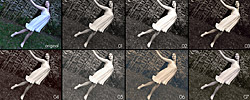
This set of seven sepia tones will make your photos look like the first twenty minutes of “The Wizard of Oz.”
Storybook Vintage

What do you get when you cross vintage colors with a vignette effect? This action!
Toasted Photoshop Actions
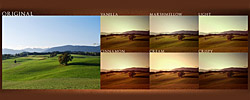
Retro-style actions in a massive variety of different “flavors.”
Violet Delight
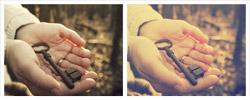
A mild purple tone combined with a vintage fading effect.
Vintage Action 9

Wash your photos in blues and pinks with this funky retro action.
Vintage Action Pack
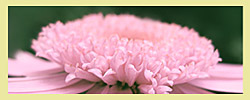
The actions in this pack come in three vintage flavors: Light Pink, French Mauve and Cool Retro.
Vintage Action Set 4
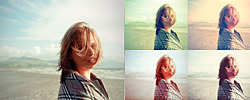
Create vintage-style photography in four different colored tints.
Vintage Blush
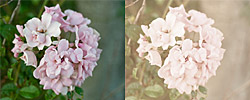
Put your subject into a muted pink haze to make it seem like a ghost from the past.
Vintage Dream PS Actions
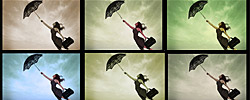
Download this six-pack of actions for when you want photos that not only look vintage, but also dreamy.
Vintage Effect – PS Actions
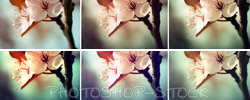
This set of free vintage actions that run the gamut from 90’s nostalgia to 60’s solid gold flashbacks.
Vintage Film Effect

Turn photographs into old movies using this vintage film action.
Vintage News
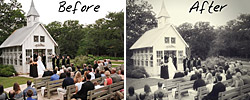
Make your photos look like faded newsprint.
Vintage Photo
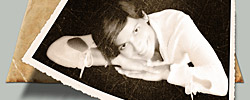
This free action makes your photos look older—much faster than waiting around for them to actually age.
Vintage Photoshop Actions (Free)
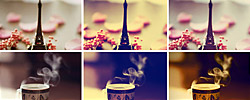
Make your images appear to be from another decade with this selection of actions.
Vintage Pro
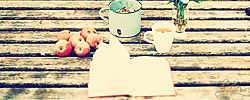
Vintage styled photo filters for dazzling color effects.
Vintage Stock

A blue-tinted haze for a cool, antiquated effect.
Vintagram 2
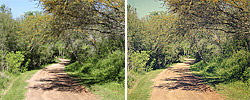
A fully adjustable vintage action, allowing you to tweak just how aged your photo should look.
Toy Camera Actions
Thanks to photo apps like Instagram and Hipstamatic, we’ve been able to recreate the look of old toy cameras like Polaroid and Holga. The result is something that looks both steeped in yesteryear and yet right at home with the digital world we live in today. These PSD actions help you bring a little of that toy camera magic to your print designs.
HolgaRoid Generator BW
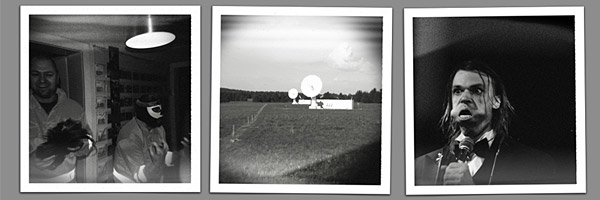
Combine toy camera effects with black-and-white coloring and faux Polaroid borders for a look that perfectly mimics the look of Polaroid Type 87 film inside a Holga camera.
Oldmatic Photoshop Action

Invoke thoughts of the past with this old-timey camera action.
Polaroid Emulsion Transfer
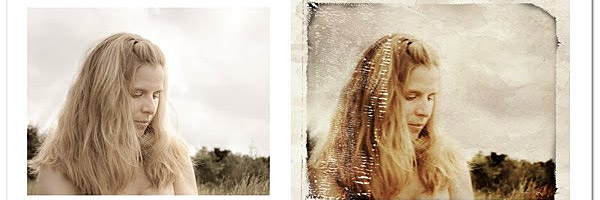
Realistically simulate the look of image-transfer prints made from Polaroid film.
Downtown Photoshop Action and Frame
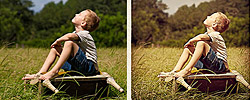
The action was directly inspired by the “Earlybird” filter in Instagram, perfect for creating that Polaroid look.
HipstaRec – Actions Pack 1
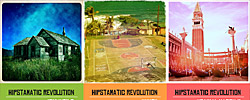
This set of actions replicates the effects of the mobile app Hipstamatic right in your Photoshop work space.
Holgarizer
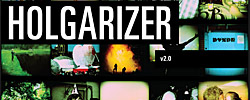
Create fun toy camera effects like the ones you see on Instagram with this action for Photoshop.
Polanoid Generator V3
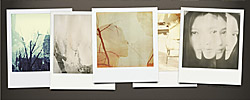
Turns your digital photos into retro Polaroid photos with up to ten different effects.
Polaroid Effect Action
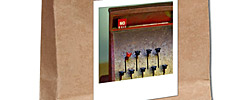
Make it like a Polaroid picture! This action even sharpens and resizes the image for you.
Vintagram Action
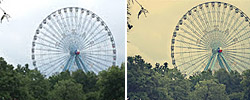
Crops your image to 2000 by 2000 pixels with vintage effects to make it look just like an old snapshot.
Trendy Photo Actions
The following Photoshop actions are perfect for younger, modern audiences who are used to the colorful, trendy images shared on social media sites. These are the type of funky, creative designs that you can only really get from working in a digital workspace like Photoshop, making them perfect for the online generation even when they’re used in print designs.
Go Boom
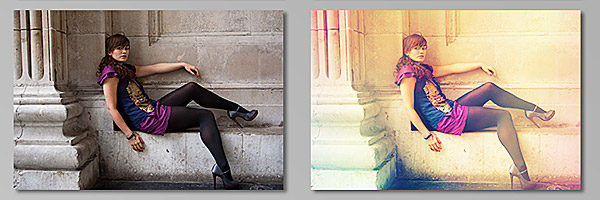
This photo action is like an explosion of rainbow colors.
Green Tea Action
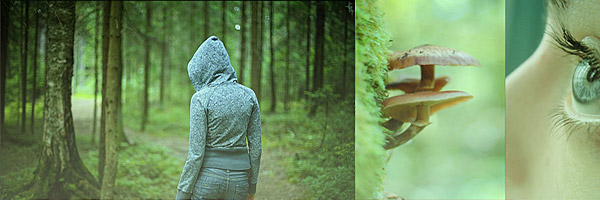
Create an earthy look with this emerald-tinted action.
Photoshop Action Variety
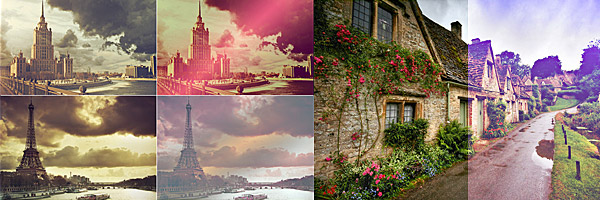
These actions can practically make your photos look like they were taken on another planet.
Actions Clyck 003
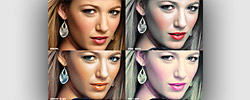
Add unusual color manipulation effects such as “snow white” and “wonder blues.”
Abbey Road – Photoshop PSD+ATN
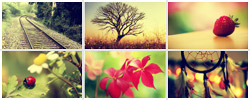
A sunny color effect, perfect for accentuating yellows and reds.
Action .7

Add red tones to give your photo a warming effect.
Action 01
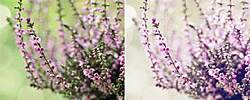
This action beautifies your photos with lovely lavender colors.
Action 010
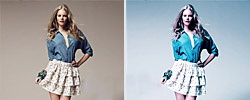
Make your blues brighter and your whites whiter with this free Photoshop action.
Action #02 Pink

Sweeten up your photos with a little pink lemonade action.
Action 11 – Free
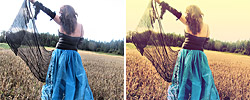
A greenish-gold color effect reminiscent of morning light in the countryside.
Action 2

This action adds the tiniest bit of blue and pink to make reds pop and give white background a little bit of personality.
Action 8

Add intense shine and energy with this simple action.
Action 48
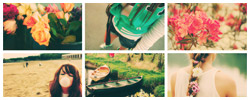
A dreamy color effect that helps bring out pinks and greens.
Action 56

Like a pair of pre-faded jeans, this action washes out your color for a stylish look.
Action 63 (Light Leak)

Add a striking red laser light effect to your photo.
Action Don’t Forget
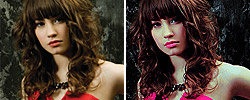
Turn the reds in your image into hot, electric pink.
Action “Just Me”

Give your portraits or still life images a warm, golden shine.
Action Photoshop
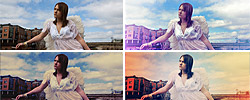
Make your photo look otherworldly with this series of highly stylized color actions.
AFW’s Bluesy Actions
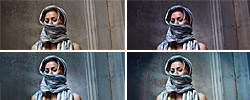
Looking for blue tones? These three actions have you covered.
Alelatriller Coulours Action (No longer available)
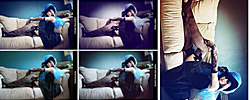
Alibi

A cold, green tint that’s excellent for images with plain gray backgrounds.
Amatorka Action 2

An exciting action that gives your photos the look of a grindhouse action movie from the 70s.
Angel Action
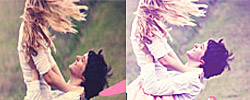
Your image will seem like paradise with this action, which simulates heavenly light.
Aphrodite
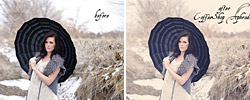
This artistic action adds a heavenly mist effect to your image.
Bella Action

Sweeten your pictures with a candy pink tone using this free Photoshop action.
Blue Action

Cool down your photos with a touch of blue using this chilled-out Photoshop action.
Candy Action
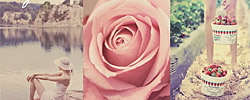
A sugary sweet action that infuses your image with light pink.
Clarity Photoshop Action
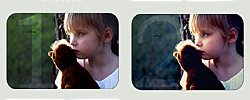
Get those details to pop while adding a moody blue tone to your photos.
Color Action
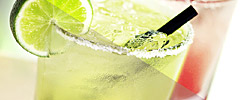
Give your colors a refreshing taste of sweetness using this cute Photoshop action.
Colors Actions

Change the look of your photos with this wide variety of stylish color filters.
Cool Photo Effect Action

Improve the look of your photographs and give them a glimmer of excitement with this free action.
Crime Action (No longer available)

Dandelion Wine
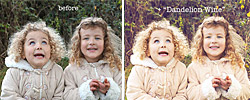
A fun, frivolous effect that gives photos a yellow sheen.
Dazzle Effects
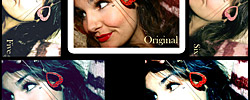
A set of six Photoshop actions that can drastically change the mood of your photos.
Dazzle Effects 3
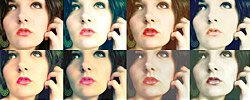
Seven more dazzling photo filters from the same creator of Dazzle Effects.
Fairytale Actions
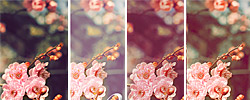
Once upon a time, there were three actions ideal for creating a quaint, classical mood.
Firework Action

Inspired by the candy-flavored imagery in Katy Perry videos, this action makes your colors pop like bubble gum.
Golden Action
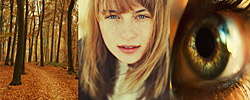
Evoke the warm, glowing colors of autumn.
Gradient Action
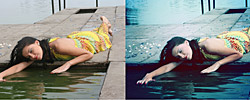
Add a cooling blue gradient effect to your photos.
Ice Pop

Chill out your image with high contrast and arctic colors.
JJ’s Duranzo-Melon Actions
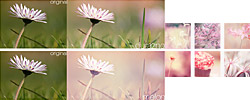
Flavor your image with soft, feminine pink tones.
LT’S Marshmallow Action

A soft, tasty action that lightens and adds a hint of pink.
Magical Effect 4.0 (No longer available)
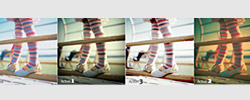
Magical Effect 4.2 (No longer available)
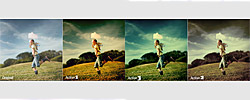
Memories of Sunshine

A light, faded effect suggestive of nostalgia and fond memories.
Misty Lavender
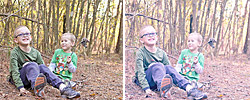
Use this action to put photos in a dreamy purple haze.
Mystical Light Photoshop Action
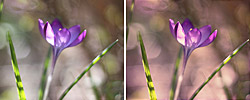
The magenta tint this action provides gives photos a positively magical appearance.
NoiseLess RetroFit Actions
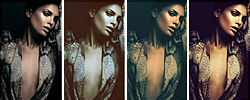
Three Photoshop actions that add color and emotion to photographs with dramatic contrast.
Once Upon a Time
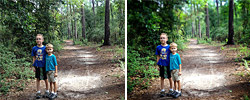
Give your photo a style reminiscent of fantasy and fairy tales with this selective blurring action.
Oscar Pilch Photoshop Action 1
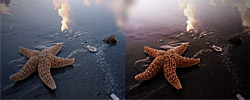
Add warm, comfortable tones to your photo.
Peachy Matte
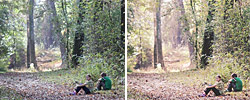
Enhance your photo with peach tinting and an adjustable matte effect.
Photo Coloring II
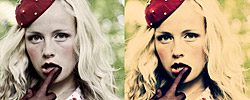
Add a bright, buttery yellow filter to your photos with this action.
Photo Coloring VII
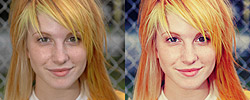
Make your photos bright with this warm color scheme.
Photo Coloring 11

Inject some mystique into your photographs with this dynamic photo coloring action.
Photo Coloring 11.2
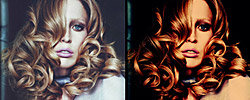
A gorgeous, dramatic color filter for your photographs.
Photo Improvement v1 (No longer available)
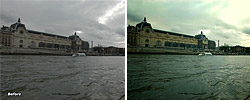
Photoshop Action 2
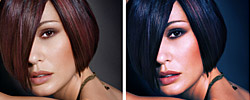
Darken and cool the colors in your photo to create a look of tranquility.
Photoshop Action 05
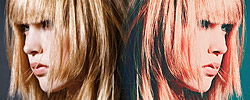
Blue and red combine to make this exciting colorful photo effect.
Photoshop Action 3
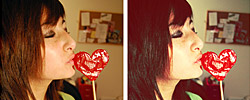
Adds a touch of sweetness to your photos with a warm light glow.
Photoshop Action 6
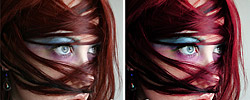
This action brightens up your photos with colors that pop.
Photoshop Action Color 024

Make your photos bright and sunny with shades of blue.
Photoshop Action: RedLip ‘n’ BurnPic
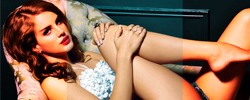
Add a splash of red to your photographs to make them sizzle.
Photoshop Color Play Effects
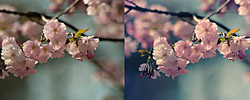
Make your color photographs pop with this free action.
Photoshop Color Actions 2
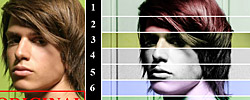
A dozen different color actions to add a touch of color and character to your photographs.
Photoshop Orange Tones Action
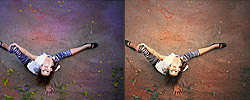
This Photoshop action brings out the orange tones in your photos to give them a warm look.
Pink Bubble Tea
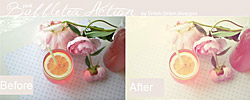
This action manipulates color to create the impression of soft pink morning light.
Pink Glow
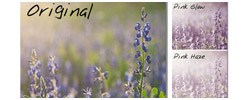
Add a girly pink glow or haze effect.
PS Action 12

Give your photos a faded, delicate look with this free action.
PS Action Set 02

Choose from three different Photoshop actions to create a range of different effects.
PS: Cinnamon Action
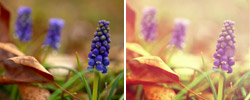
Spice up your image with light, warm tones.
Purple Contrast Free Photoshop Action
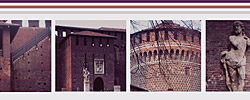
Give your photos the royal treatment with this powerfully purple Photoshop action.
Purple Wonderland Action
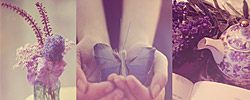
Use this action to enter your photo into a world of purple.
Rainbow Haze Photoshop Action

Taste the rainbow with this colorful Photoshop action.
Red Action

Naturally, this action accentuates the deep reds in your design.
Sedrah Photoshop Action No. 2
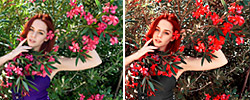
This action adds a touch of red to your photos for a big burst of personality.
Set 28
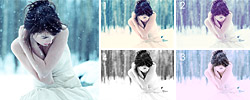
A set of four actions to create stunning color effects.
Soft Red Photoshop Action
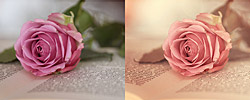
Softens the reds in your photographs to make your pinks more delicate and whimsical.
Stick It! Action (No longer available)
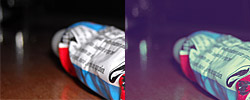
Thinking of You Action

Make your photos look dreamy and cool with this popular Photoshop action.
Trio Action
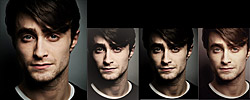
Here are three unique ways to add interest to your photos.
Unbroken Action
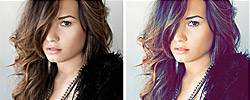
Use this action to add bluish highlights to your subject.
Velvet Berry Cake
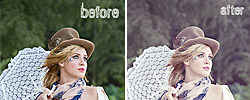
Use this aciton for an pale, dainty look evocative of elegant lace and afternoon tea.
Violet Shine Photoshop Action
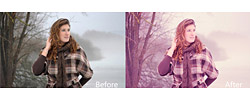
Make your photos glimmer with lavender luminescence.
HDR Photography Actions
HDR or high-dynamic range photography creates a breathtaking effect with crystal clear detail that makes it perfect for print design. It’s not always possible for designers to use HDR photography, but many of the following actions help you fake the effect with surprisingly convincing results. Some are also handy for changing the look of HDR photos you’ve already taken.
HDR Tools
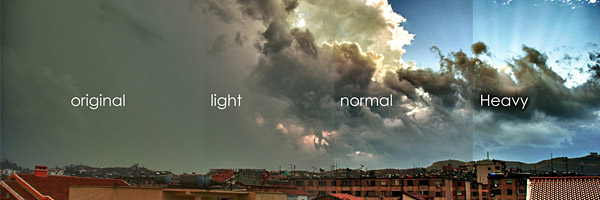
This set of actions helps you to clean up your HDR images by removing the digital gray and enhancing the contrast.
Pseudo HDR
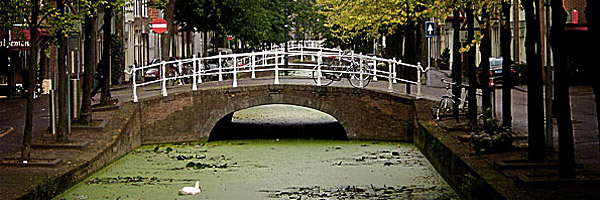
Simulate an HDR look with complete control over adjustment layers, layer masks, and more.
Fake HDR Action
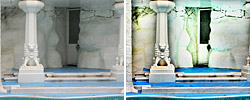
Turn your best-looking photos into even better looking HDR photos with this easy cheat.
Free Faux HDR Photoshop Action
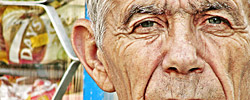
This Photoshop action creates faux HDR effects for your photographs that look like the real thing.
Free HDR Photoshop Action
Quickly create HDR photographs with this free Photoshop action.
PS Actions HDR Post Effects
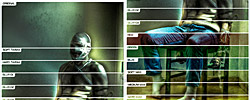
Tweak, blur, or manipulate the color of HDR photography.
Lighting Effect Actions
Light is both a photographer’s best friend and worst enemy. When the light is just right it can inject warmth and radiance into a photograph, but when the sun’s behind a cloud or the weather calls for rain, it can ruin your photos. These lighting effect actions give you the power to control the sun like the Greek god Helios by recreating different light settings.
Free Autumn Photoshop Action
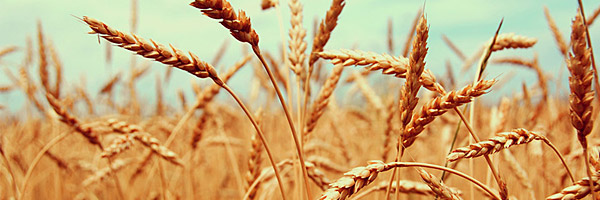
You know how the lighting on an autumn afternoon has that particular quality about it? This free Photoshop action seeks to replicate that very effect.
Glow Effect (No longer available)
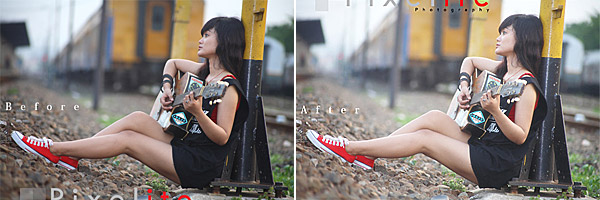
Rays of Light
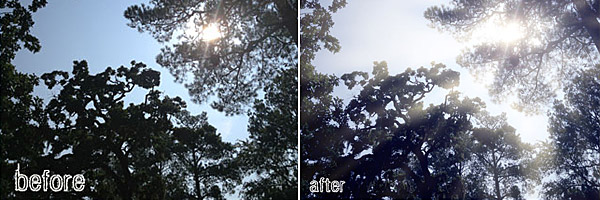
Naturally, this action lets you quickly add gorgeous rays of light to an image.
Clouds Effects (No longer available)
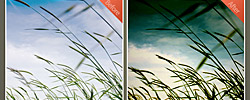
Creamy Hazy Light
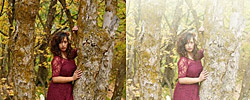
With this action, your subject will appear to be bathed in radiance.
Dreamy Light Action
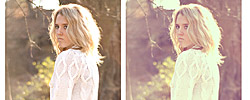
Add a touch of warm light to your photos for a dreamy effect.
Free Lighten Up Action
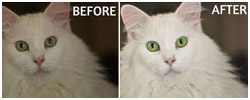
Need to fix your dark, underexposed photos? This action should help you out.
Glorious Light
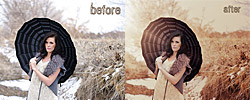
Make your image glow with brown-tinted luminescence.
Golden Afternoon
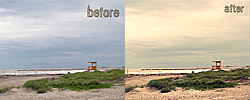
With this action, you can fill your image with relaxing, afternoon light.
Hard Light Action PS
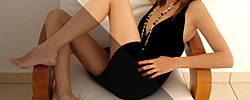
Brighten up your dull photographs with a strong source of light.
i-Dark 3.03 (No longer available)
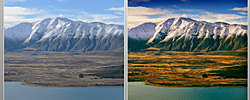
Luminous
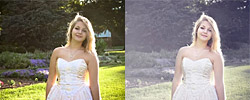
Add a fine, shiny mist to your portraits or still life images.
Magic Sunset
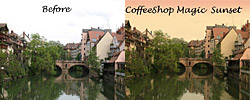
Get ready to ride off into the warm evening light with this magical action.
Mellow Yellow Sunshine
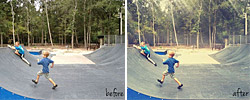
A cheerful, sunny light action to put your audience in a happy mood.
My First Actions Set
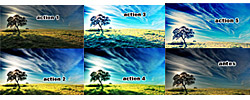
A series of five different lighting effects from low light to high intensity.
Photoshop Action 10
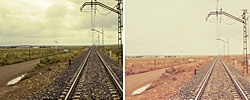
Significantly lighten a photo to make details much more visible.
Photoshop Sunlight and Sundown Action
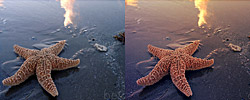
Brighten up your subject’s day, or place them near a romantic sunset.
Soft Autumn Glow
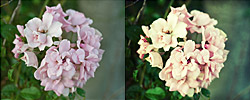
Fill your photos with the warm, reddish light of fall.
Summer Heat Action (No longer available)
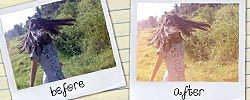
Sun Bliss
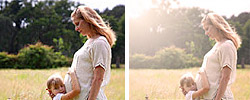
A fully adjustable sun flare effect without those annoying artificial-looking lens flares.
Sun Kissed Photoshop Action
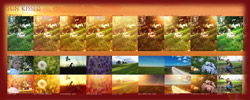
A whole slew of Photoshop actions that simulate different sunlight effects.
Sunlight Photoshop Action
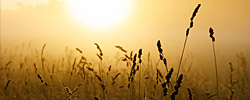
Let the sun shine in with this Photoshop action that draws out the natural beauty of sunlit photographs.
Sunny Photoshop Actions
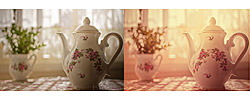
This set of actions gives your photos a sunny shine, sweeping the clouds away.
SuperFlare – Back Light Burst Effect Action
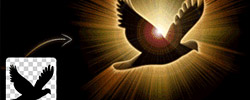
Make any text, vector shape or bitmap layers burst with radiant light from behind.
Touch of Light/Touch of Darkness Photoshop Action

This action adds both a little light and dark to your photos to bring out the contrast.
Yellow Evening Action
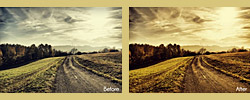
A slightly spooky effect that puts your photo into a golden twilight.
Special Effect Actions
Whether you want to turn your photographs into pencil sketches or apply macabre horror movie effects, these special effect actions let your imagination run wild. If you’re looking for that little extra “oomph” that’s going to make your design really pop, look no further than these awesome special effect actions.
Focal Zoom Effect
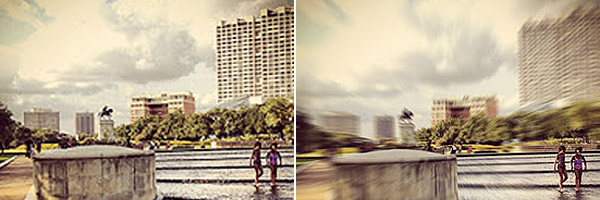
Add dynamic energy and draw attention to a single point with this focal zoom effect.
Ghost Stories Photoshop Action
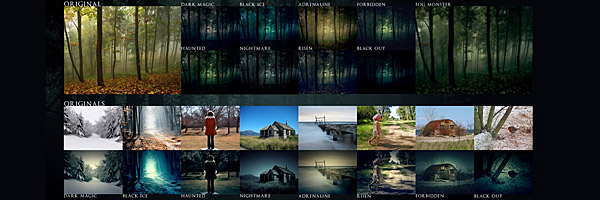
Unsettle your viewer with these actions straight out of a horror movie.
Moonlit Fairy Dust

Make your subject sparkle like a mystical creature from myth. Comes with a free brush and texture to complete the look.
300 Action
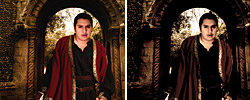
This action proves that you don’t have to be director Zack Snyder to get film effects like those seen in the movie “300.”
3D.Action
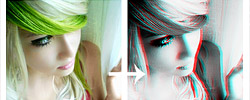
Not only does this add an anaglyphic 3D effect to your photos, it also strips away the color for a black-and-white movie look.
Action 012 “Red Lips Only”
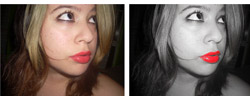
Desaturate all of the color in your subject, but make their lips stand out in brilliant scarlet.
Action Pastels
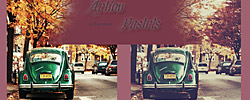
Give that photo a pleasant pastel tint.
Action 3D
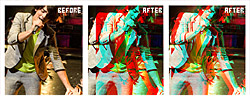
This set of four actions mimics the look of an anaglyphic 3-D movie for a unique and stylish look.
Action No. 4 – Spooky Portraits
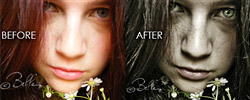
Give your photos a creepy horror movie vibe with this macabre Photoshop filter.
Comics Photoshop Action
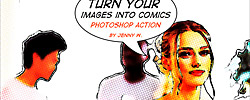
Give your pictures the look of old comic strips with this special effect action.
Crystal Ball Action
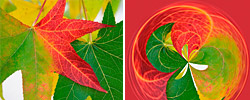
Bend your image into the shape of a smooth, shiny sphere.
Fashion Sketch
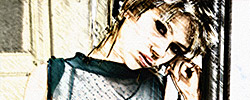
Make your subject look as if they’ve been roughly sketched.
Free #2 Pencils Photoshop Action
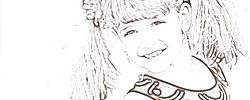
Turn your photographs into pencil sketches with this action that mimics the look of a good old-fashioned #2 pencil, like the ones you used to use in school.
Free Cinema Photoshop Action
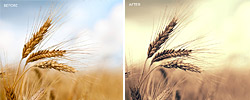
Make your photos look like they came right off the big screen with this cinematic Photoshop action.
Fun FX: Digital Corruption
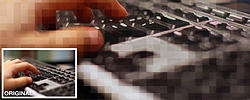
Add 8-bit pixelation to make your image look as though you’re seeing it on an old computer. Great for tech-related imagery.
Fun FX: Film Urban Blue
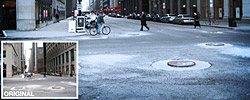
Calls to mind the cold steel of the city and dark, gritty cop dramas.
InFection
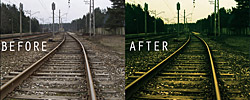
Darkens and colorizes your photos for a rich, moody look.
Infrared
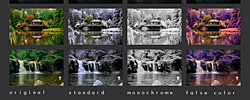
Radically distort your subject’s color in several different ways. Works best for nature shots.
InfraRed Photography Action
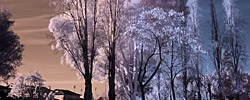
Naturally, this action is inspired by the otherworldly look of infrared photography.
IR Effect Look
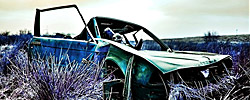
This action mimics the look of an infrared camera, for all of the cool effects with none of the added cost.
Lithprint Hard Boiled
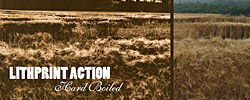
Transform your photographs to make them look like a lithograph painting using this easy action.
Magic 3D Photoshop Action

This action gives your layer, text or vector image a three-dimensional look with one click of your mouse.
Pencil Draw Photoshop Action
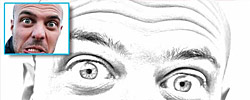
Turn a photograph into a realistic pencil sketch drawing using this action.
Photoshop Dream Blur Action
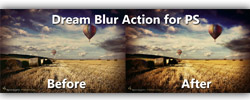
Adding this blur effect to your photos will give them that dreamy quality, like a flashback in an old movie.
Photoshop Fisheye Action
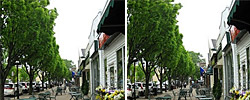
Bend your photo so that it looks as though it was shot with a fisheye lens.
Selective Color
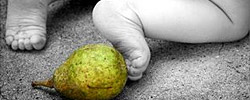
Simulate the look of the movie Pleasantville by creating black and white images with only certain objects in color.
Teeny Tiny World
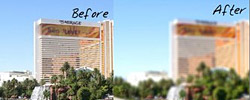
A simulated tilt-shift effect to make the people and objects in your photo look, well… teeny tiny.
Vectorize Me Babe ATV
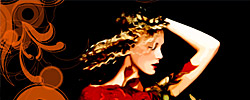
Is that a vector illustration? No, this action just makes it look like it is.
Vivid Blur
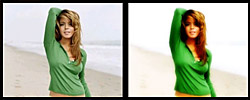
Blur your photos ever so slightly to create beautiful, dreamy scenes.
Sharpening Actions
Nobody likes looking at an image that makes them feel as if they need to strain their eyes. Though it’s usually better to use an image that was photographed with proper focus set, digital sharpening actions can help to clear away that unsightly blurriness.
20/20
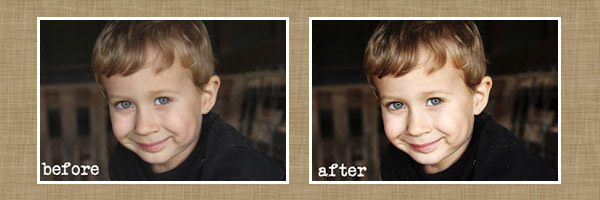
This sharpening action is like putting on the perfect pair of eyeglasses.
Define
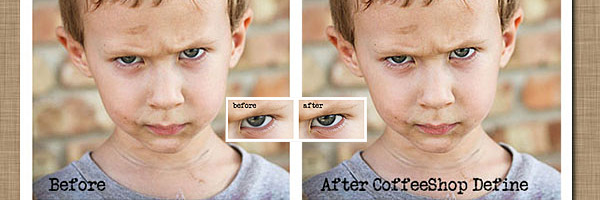
Sharpen the darker areas of your image. Great for bringing out the subject’s eyes, hair, and shadows.
Freaky Amazing Detail (No longer available)
Free High Definition Sharpening Photoshop Actions
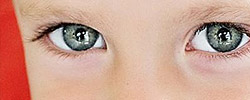
Make your photo look more like true HD with this set of sharpening actions.
Phillip Perold Sharpening Actions
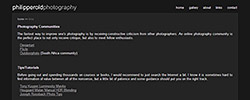
Two actions ideal for hardening the details of shots of wildlife and landscapes, respectively.
Sharpen
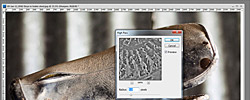
Boost your subject’s sharpness with this simple action.
Texture Actions
When you can’t print your design on a textured paper, an interesting pattern can be the next best thing. Even the illusion of texture can encourage people to interact and engage with an image. Use these actions to create a look that your audience will want to reach out and touch.
Give it Texture
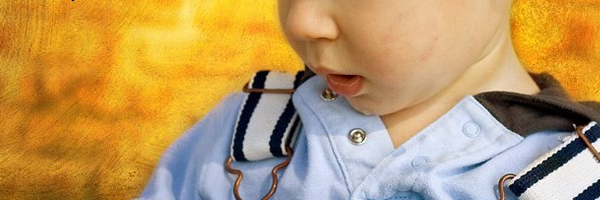
Place textures, fully adjust their color and contrast, and selectively erase them from areas of your choice.
MCP Texture Applicator Plus

Add even the tiniest bit of subtle texture to your photographs for a look that will surprise you.
Urban Grit
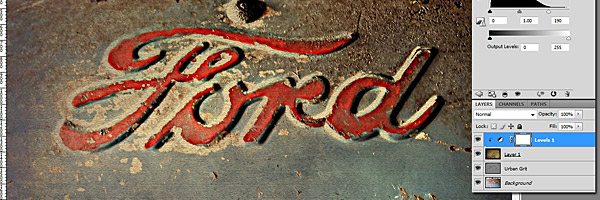
Give your image a dark and gritty reboot with this grimy color and texture action.
Fabric Maker
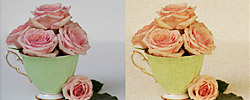
Add a customized fabric texture to your image so that it looks like it was printed on cloth or linen.
Magic Texture Pro
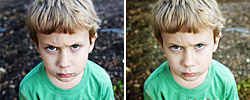
Quickly add fully customizable textures. Works only in Photoshop (not PSE).
Portrait Texture Magic Action

Add texture while automatically removing it from your subject’s skin.
Soft and Dreamy Texture
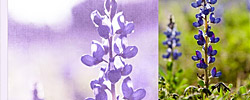
Mimic the look of an old magazine photo with this light, faded texture action.
Model Retouching Actions
Nobody’s perfect-we all have little flaws that we’re embarrassed about, but that’s just what makes us all unique. But sometimes as a designer you’ve just to eliminate the acne, scars and other unsightly blemishes from your photo models. These model retouching actions are like a day at the beauty spa for your photographs.
Blushing Kisses Action
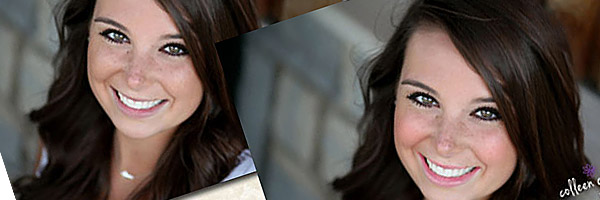
And a little color to your subject’s cheeks, as well as both color and gloss to their lips.
Perfect Portrait 3
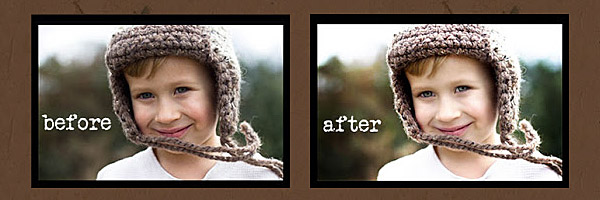
Define eyes, whiten teeth, automatically smooth skin and perform other easy portrait improvements.
PowderRoom After Dark
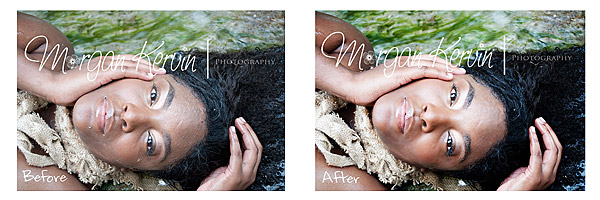
Perfect for retouching individuals with darker skin and eyes.
Contact Lenses (No longer available)
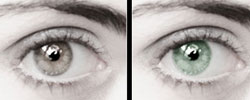
This set of actions lets you quickly change eye colors like a pair of digital contact lenses.
Express Eye Bright

Turn around, bright eyes. This quick and easy eye-brightening action might just eclipse your heart.
Eye Color
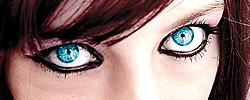
Alter your subject’s eye color like magic.
Glamour Glow

Soften your model’s skin and give them a pleasant glow.
Magic Skin Action Set

A full set of actions for cleaning up glare, blemishes, and other skin flaws.
Modelize

This action can take a photo of any person and make them look like a professional model using soft glow lighting.
Portrait Express

Automatically smooth skin while adding definition and a subtle color pop.
Portrait Toolbox

A quick and easy way to enhance your portraits with whiter teeth, warmer skin, and more.
PowderRoom 3

A great action when you need to lighten up red skin.
Red Lips Action

Bring more attention to the lips with this action that washes out all the colors but the reds.
Skin Glow Enhancement

This action brightens up skin tones in photographs to give the models a healthy glow.
Skin Redness Relief
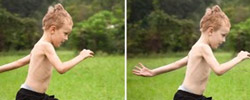
A simple, intuitive way to remove redness from your model’s skin.
Soften Skin Effect Action
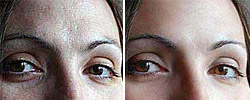
Easily softens skin to remove wrinkles and hide blemishes.
Teeth Whitening
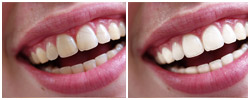
Automatically whitens teeth in photographs to remove unsightly staining.
Actions for Specialized Subjects
The following Photoshop actions were created for specific types of images, ranging from blushing brides to blossoming trees. However, part of being creative is testing the limits and trying new things, so you might find new and exciting uses for these actions beyond what they are intended for.
Auto Baby Blanket Blur
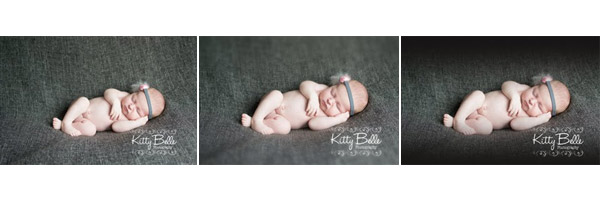
Blur the background while leaving your infant subject in perfect focus.
Landscape and Sky Action

Jazz up your landscape pictures and give them bright blue skies using this action.
Wedding Enhancers Kit
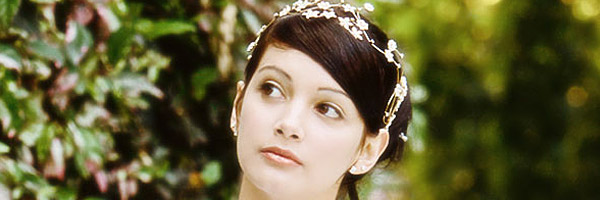
This series of Photoshop actions gives you a whole slew of tools for working with wedding photography or creating wedding-themed designs.
Baby Miracle

A portrait retouching action that’s perfect for babies.
Baby PowderRoom 2
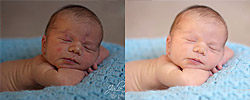
Lighten and smooth a baby subject’s skin.
Beach Vintage
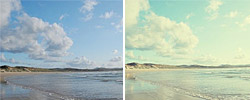
Add a soft vintage tone, ideal for photos of beach landscapes.
Dark Eyed Beauty

An eye enhancer made specifically for darker eyes.
Denim
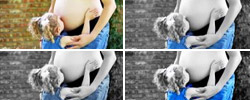
Turn everything in a photo black and white except for the blue objects (such as jeans).
Enchanted Forest
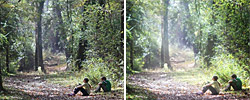
A magical effect for photos with light shining through trees, clouds, or other objects.
Forest Actions Exclusive
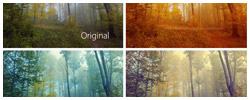
These actions were designed to give color and drama to photographs that depict forests and trees.
Landscape Action
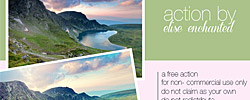
Lighten and enhance the details of landscape photography.
Landscape Effect PS Action 0.2
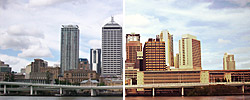
Give your landscape images a regal brownish tint.
Photoshop Action – Bright Eyes
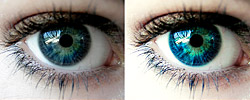
Make those baby blues sing with this action that brings out the color in blue eyes.
Pretty Lady Photoshop Actions

This set of 10 actions were designed to bring out the beauty of photos of women, but we think they look good on anyone.
Retro
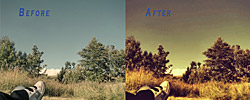
This vintage Photoshop action was designed to make landscapes look retro.
Sweet Baby Dreams B&W
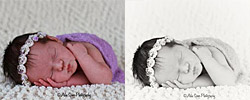
A black-and-white action made just for baby photography.
Wedding Theme Action
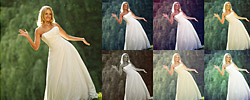
You are cordially invited to download this set of nine free Photoshop actions that enhance wedding photos.
Miscellaneous Actions
The community of artists who create and share Photoshop actions are a large and diverse group, which leads to some largely diverse actions. We couldn’t find a place for the rest of our free Photoshop actions, but that shouldn’t discredit their usefulness.
3D Isometric Map Mockup (PSD, Action)
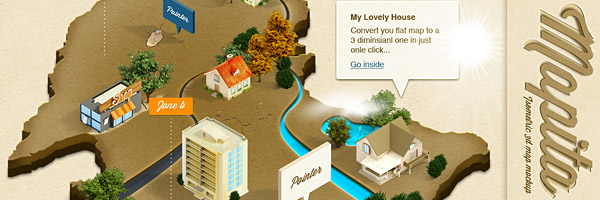
Turn any flat map into a 3-D isometric diagram.
Folded Brochure Photoshop Action
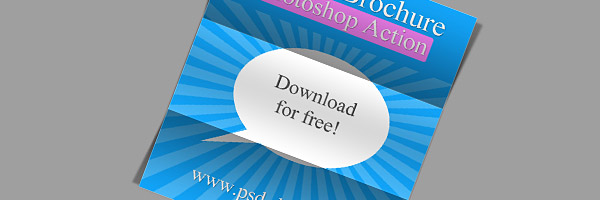
This action uses shadows to create the look of folded paper so that you can make your brochure designs look more realistic when showing them off on an online portfolio.
Outer Space
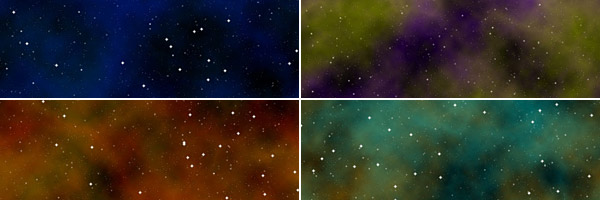
Make your designs out-of-this-world with this action set that automatically creates scenes of outer space, complete with stars, nebulas and cosmic gasses.
1930s Glitter Text Effect Action

Give your text that “Great Gatsby” look with this retro text effect action.
3D Box Generator

Show off your packaging design mock-ups or include realistic product pictures in your designs using this 3D box generator.
Backdrop Fix
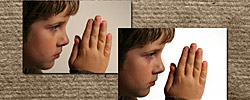
Whiten the whites and darken the black areas of your photo’s background.
Background Removal Photoshop Actions
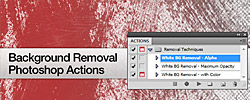
Save time by removing white backgrounds from your design elements using this handy Photoshop action.
Burn
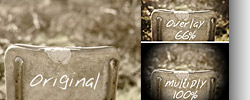
Create a quick and easy vignette effect that draws your viewer’s focus.
Copyright Action
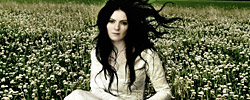
Protect your work from theft with this free copyright watermark applicator.
Denim Leather
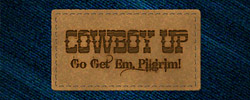
Transforms your logo into an embossed leather patch on a denim pattern background.
Die Card Business Card Mockup
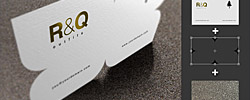
Show off your business cards in a dynamic way using this 3D mockup action.
Draindrops

This quirky action creates the effects of falling raindrops on a dry window.
Floating Lineart PS Action
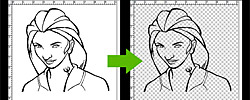
Separate line drawings from a white background quickly and simply.
Free Burnt Edges Vignette Photoshop Action
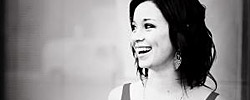
Create burnt edge photo frames in a snap with this free action.
Free Long Shadow Photoshop Action
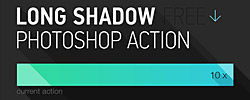
Add long, stylized shadows to your design elements.
Gallery Frames and Watermark Photoshop Actions
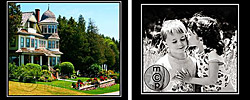
Add a watermark to your image and then stick it in a digital picture frame using this two-pack of Photoshop actions.
Graphic Art Photoshop/PSE Action
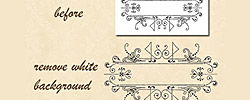
Remove white backgrounds and manipulate the color of graphic art designs.
Instant Colorbar
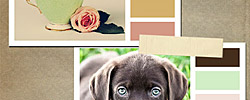
Instantly create a custom color bar palette from any image.
Layer Mask Action
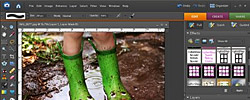
Quickly mask out effects in Photoshop Elements 6 or below.
Light Bulb Actions

Place any image inside an illustrated light bulb.
Long Shadow Photoshop Action
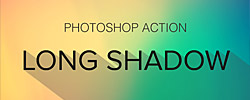
Create a funky long drop shadow effect using this easy Photoshop action.
Old Parchment

Generate the look of an ancient document.
Out of Bounds Action
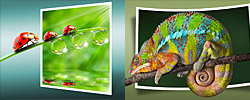
Make any photo look like it’s literally crawling outside of its frame.
Page Curl Photoshop Action
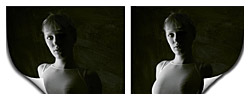
This action curls up the corner of your images to simulate the look of real paper.
Painted Borders
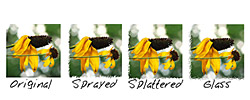
Stylize an image’s border with various paintbrush effects.
Rounded Corners 2

Add rounded corners to any square image.
Snowy Day Action & Texture
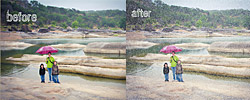
With this action, any subject will appear to be in the middle of a flurry or blizzard.
Stamp Generator
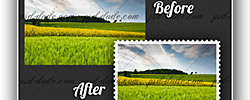
If you’ve ever wanted to see how your design would look on a postage stamp, this Photoshop action is for you.
Sticker Action
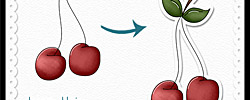
Give your images the look of a die-cut sticker using this free action.
Stickers and Tapes Actions

This set of free actions requires registration to download, but is completely worth it since it lets you quickly transform images into round stickers or polaroid pictures with tape.
Tryptych Generator Action
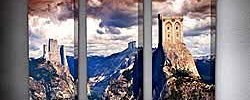
Not only does this action help you create triptych panels that are print ready, it also shows you what those panels would look like in 3D by generating a canvas mockup.
Watermark Photoshop Action
Add one of nine different watermark effects to your design with customizable text using this easy action.
Photoshop Action Collections and Multi-Packs
Who doesn’t love to buy in bulk? You get more and you save time and money. Well, all of these Photoshop actions are free, so you don’t have to worry about paying for them-but you can still save on your time by downloading them in bulk. Here’s our favorite collections that feature multiple diverse Photoshop actions in one convenient download file.
50 Photoshop Postwork Actions
This giant pack of Photoshop actions is a must-have for any designer.
CoffeeShop Action Set

A massive collection of wildly diverse color actions for both Photoshop and Elements.
Free Photoshop Actions by FixThePhoto
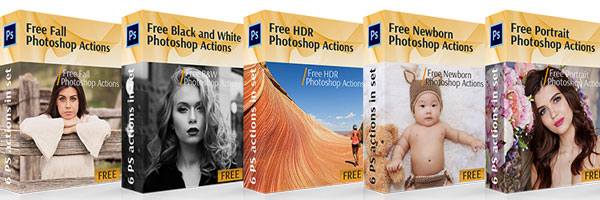
A collection of 318 Photoshop actions, organized by style and effect.
Seim Hollywood Effects 2 – Sampler Pack
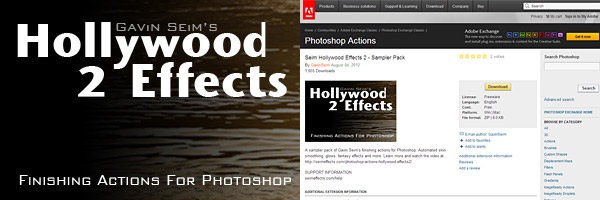
A selection of finishing actions including skins smoothing, fantasy effects, and much more.
Color Vale Actions

A mix of free and premium Photoshop actions give photographers the tools they need to create impressive portraits.
8 Photoshop Photography CS3 Actions
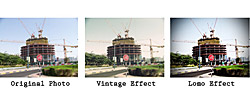
A variety of actions ranging from vintage to lomo to fake HDR effects.
30 ISO Print Paper Size Photoshop Action Templates (No longer available)

Instantly size your canvas to fit a number of standard dimensions (such as A9, C4, and more).
30 Photoshop Actions
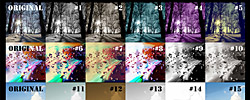
With this big ol’ pack of actions you’ll find all kinds of effects, from subtle to wild.
Action Pack 1
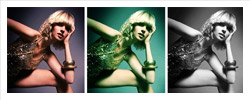
Six Photoshop actions, each with the same goal-to make your photos look stylish and fun.
Amazing Photoshop Actions – Create in Two Clicks
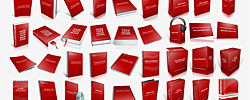
Place your image on one of a variety of product icons ranging from book covers to credit cards.
Cute Actions
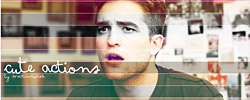
Don’t let the name fool you; these actions let you stylize your photo’s color in wildly different ways.
Erin’s Photoshop Actions Set 1
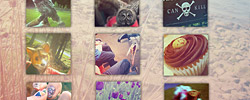
Nine radical actions for adding interest to your image.
Free Photoshop Action Collection (No longer available)
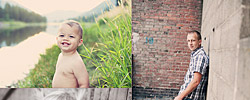
Greater Than Gatsby Free Photoshop Actions
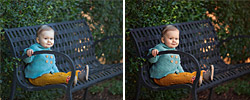
You have to sign-up for a free membership to get this 12-pack of stunning Photoshop actions-but trust us, it’s totally worth it.
Large Set of Actions
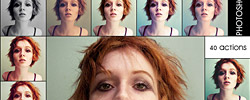
This accurately-titled pack of 40 different photo effects has a little bit of everything.
Martz90 Actions 1
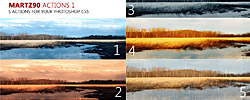
Change the colors in your image in five unique ways.
Pack Actions 01
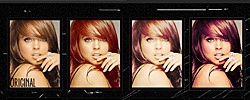
Download these 11 different colorful photo effects all in one pack.
Photographers Toolkit 3
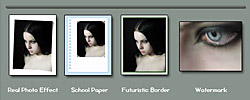
Everything from photo frames and watermarks to control masks and light beams is waiting for you in this toolkit.
Photoshop Action 9 Pack

A set of five photo actions, each with dramatically different filter effects.
Photoshop Actions 4
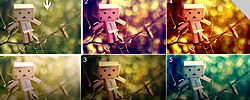
Whether you’re looking for a cute pink or deep teal tint, these actions are definitely worth experimenting with.
Photoshop Actions, Set 14
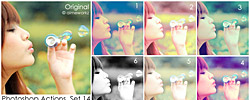
This six-pack of photo effects gives your images a fun and playful look.
Powerful Colors 3.2 (No longer available)

Sa-Cool Actions 2.06 (No longer available)
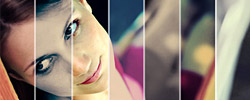
Sa-Cool Actions 2.08 Colors (No longer available)
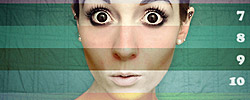
Variety Pack Actions 3
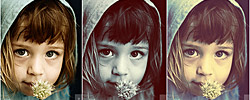
Variety is the spice of life-and this set of various actions will add plenty of spice to your photos.
26 Photoshop Actions
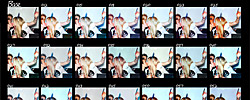
Manipulate color in 26 unique ways.
From the Community
We asked graphic designers on Twitter to share their favorite Photoshop actions with us. Here’s what they had to say.
@CompanyFolders The resizing one is actually included with PS, but you would need to set up your own dimensions. https://digital-photography-school.com/how-to-batch-resize-in-photoshop/
— Jacob Cass (@justcreative) June 19, 2014
@CompanyFolders i rarely use actions but i find the bjango set is great for app designers https://bjango.com/designresources/
— Jake Rocheleau (@jakerocheleau) June 19, 2014
@CompanyFolders I use Totally Rad’s Get Faded set for next to any picture I create. Even if the layer is just at 10% it adds a perfect touch
— Anthon Plake (@anthonplake) June 19, 2014
Conclusion
Not every action is going to work for every image. Remember to use them as guidelines—keep what works, but make necessary adjustments when the design calls for it. Sometimes you might find that a popular action is just incompatible with your design—but there are enough free Photoshop actions out there that you’re bound to find one that will work for your needs.
Now we want to hear from you. Do you have a favorite time-saving Photoshop action? Please share them in the comments below.


Thank you for sharing a few of my actions from Brusheezy! I also offer 37 free Photoshop actions on my website. Anyway, it’s always an honor to be featured on a site such as this.
An excellent resource for Photoshop users looking to speed up their editing workflow. You’ve covered everything from color correction and portrait retouching to vintage and some cool creative effects. Thanks for compiling such a comprehensive list!